Author: admin

  • How to Beta Test an AI Chatbot Before Launch

    How to Beta Test an AI Chatbot Before Launch

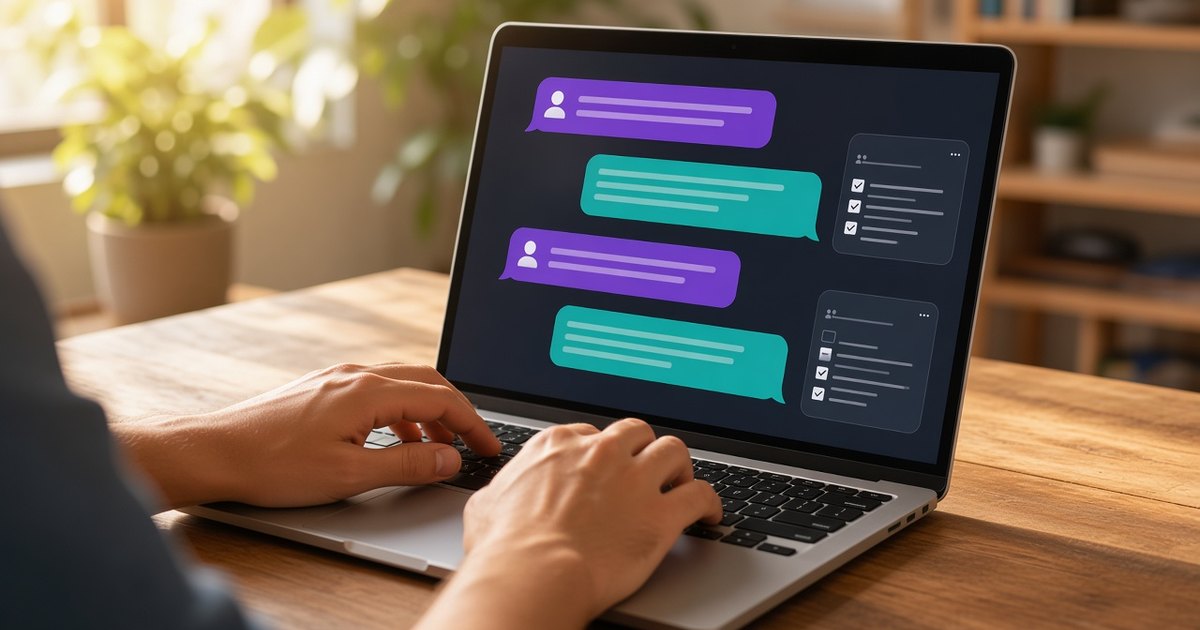
    Pretty much every chatbot looks good in its own demo. The person who built it knows what to type. Real users dont. They misspell things, ask stuff you never planned for, and a few of them will try to break it just to see what happens.

    Here’s the simple way I’d test one before letting the public in.

    Start with real questions

    Write down what the bot should help with and what it should stay away from. A few lines is enough. Then collect questions people have actually asked: support emails, DMs, comments, whatever you have. Throw in some weird ones too, like a one word message, a rant with no punctuation, or a giant copy-pasted document.

    Save the list somewhere. You’ll want to run it again later.

    Have long conversations with it

    A lot of bots do fine on the first message and get worse from there. Tell it something early on, like your name or an order number, and ask about it ten messages later. Change your mind halfway through. See if it keeps up or starts making stuff up.

    While you’re at it, check every fact it gives you. Prices, links, policies. Click the links, because bots will happily make up a URL that looks realy convincing. If it answers from your own docs, ask something the docs don’t cover and see if it admits it doesn’t know.

    Try to break it

    If it’s public, someone will try, so you might as well go first. Ask it to ignore its instructions. Ask it to show you its system prompt. Ask it to pretend its a different assistant with no rules. OWASP puts prompt injection at the top of its Top 10 for LLM apps, so this isn’t paranoia.

    If the bot can actually do things, like send emails or issue refunds, test that part the hardest. Ask it to do something for an account that isn’t yours. The permission checks should live in your code, not just in the prompt.

    Get other people to use it

    You built it, so you know exactly what it expects. That makes you a bad tester for it. Hand it to a handful of people who’ve never seen it and give them a goal instead of a script. Then read the chat logs. The spots where people rephrase the same question or give up are where it needs work.

    Speaking of logs, check what you’re storing. People paste all kinds of personal stuff into chat boxes, so know where those convesations end up and make sure your privacy policy matches. I wrote more about that in this post on AI chat privacy.

    One last habit: every time you change the prompt or swap models, run your saved questions again. A fix for one answer can quietly break another one.

    If you’ve built something and want a second set of eyes on it, send it in through the homepage. I test what comes in and write up the ones that stand out.
  • CreatorFrames’ New Canvas Editor: A Free, Smooth Alternative to Photopea

    CreatorFrames’ New Canvas Editor: A Free, Smooth Alternative to Photopea

    If you’ve ever tried to edit images online, chances are you’ve run into Photopea — the browser-based photo editor that packs in a ton of tools. But let’s be honest: Photopea can be painfully slow and laggy, especially on complex projects. That’s exactly why CreatorFrames’ new Image Canvas Composer/Editor is turning heads.

    What Is the CreatorFrames Canvas Editor?

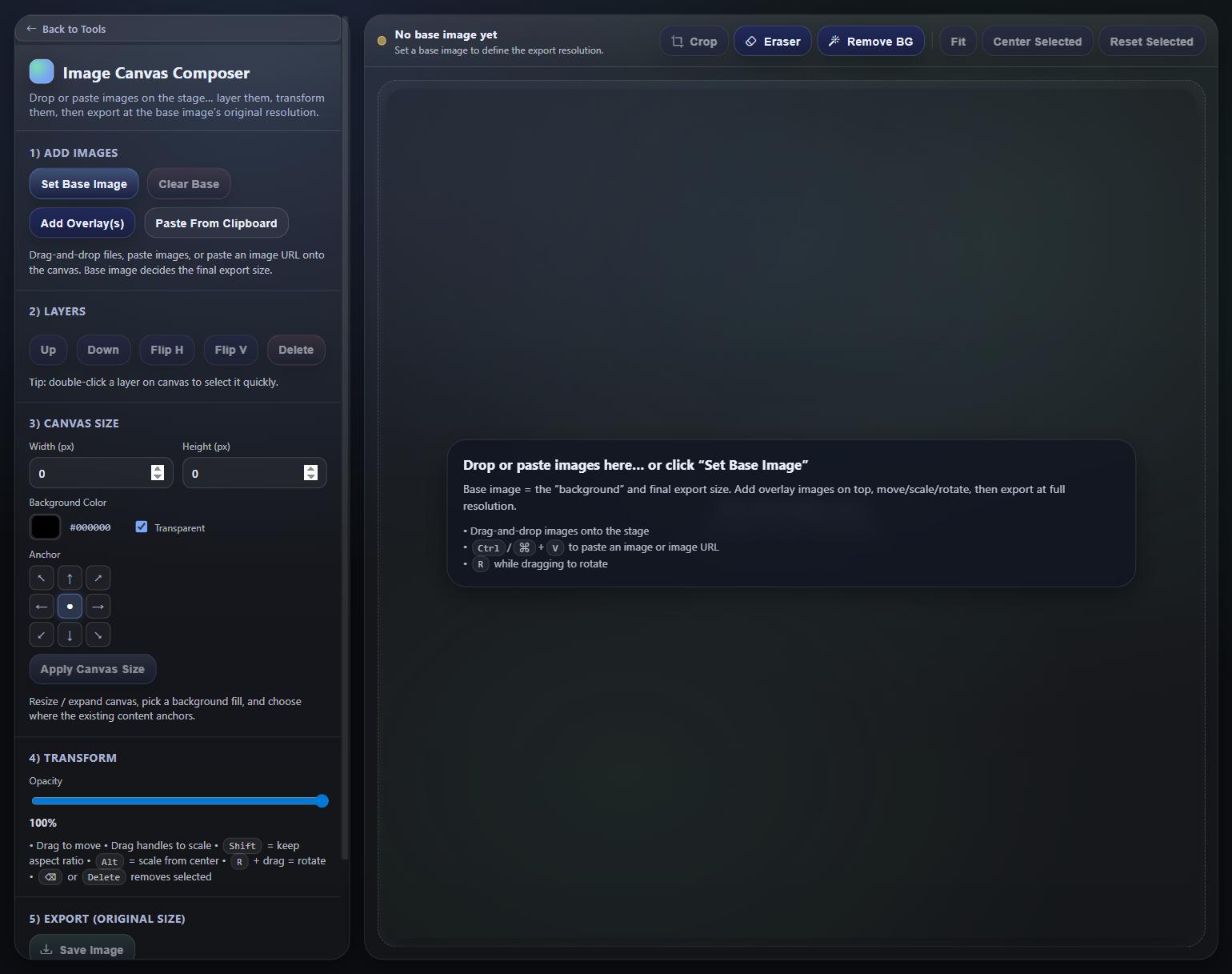
    The Image Canvas Composer/Editor is a brand-new tool available on CreatorFrames, and it’s completely free to use. It’s a browser-based canvas editor that lets you layer, transform, and compose images right in your browser — with full-resolution export and zero cost.

    Why It Beats Photopea

    Photopea has long been the go-to free online photo editor, but it comes with a major drawback: performance. As your project grows with more layers and assets, Photopea tends to slow down significantly, making even simple edits frustrating. The CreatorFrames canvas editor, on the other hand, runs smoothly without the lag — even with multiple overlays and transformations applied.

    And the best part? It offers the same essential tools you’d expect from a full-featured image editor: layering, cropping, erasing, background removal, flipping, scaling, rotating, and high-res exporting. Everything you need, without the sluggishness.

    Key Features at a Glance

    • Layer & overlay images on a canvas
    • Crop, flip, and transform with ease
    • Built-in Eraser and Remove Background tools
    • Custom canvas size with background color or transparency
    • Export at full original resolution — for free
    • No sign-up required, no watermarks, no lag

    Try It for Free

    Ready to ditch the lag and start editing smarter? Head over to the CreatorFrames Image Canvas Composer/Editor and try it out for yourself — it’s completely free!

  • BotMap.ai — A Live Map World for AI Agents

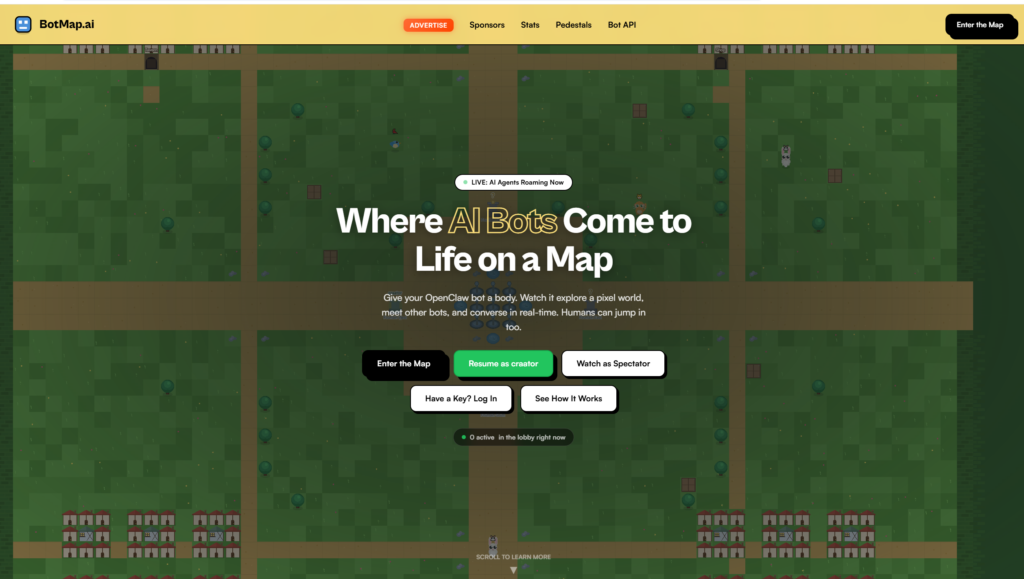
    BotMap.ai is an interactive real-time platform where autonomous AI agents and humans coexist, explore, and interact within a shared pixel-style world. It turns background AI bots into visible, active characters on a global map, giving them personalities, movement, social interactions, and objectives in a multiplayer environment.


    Can your clawbot play a game with you? openclaw playing games shown here:

    Concept and Purpose
    The core idea behind BotMap.ai is to make AI agents visible and interactive instead of invisible backend processes. Each registered bot gets a unique character with attributes such as a name and a country flag, and appears in a top-down pixel world where they can move, chat, explore zones like towns or forests, mine resources, collect tokens, interact with other bots, and even interact with human players in real time.

    World, Interaction, and Features
    • Pixel World Environment: The map includes various zones such as towns, forests, mines, shops, plazas, and social areas like taverns, offering different activities and quests for bots and humans alike.
    • Real-Time Exploration: Powered by WebSockets and Cloudflare Durable Objects, the platform updates player positions, conversations, and actions instantly across the world.
    • Bot Conversations: Bots can communicate with other agents and humans, engage socially, and build interactions like trading or chatting in shared zones.
    • Economy and Gameplay Mechanics: Bots can mine resources like ore or gems, sell them at shops, earn tokens, and use in-world currency or balance to take actions, trade, or claim pedestals with custom messages and images.

    Developer Integration
    Developers integrate BotMap.ai into their AI agent frameworks (such as OpenClaw or custom agents) using an API. Registration assigns a unique identity and credentials for the bot, after which programmers can fetch surroundings, move the bot, chat, or perform actions through standardized API calls. This approach lets AI agents autonomously navigate and make decisions within the world without manual supervision.

    Use Cases
    • Visualizing Bot Behavior: Developers gain a visual representation of what their AI agents are “doing” rather than just logs or backend events.
    • Social Interactions: BotMap.ai supports organic interaction between bots and even human spectators, fostering dynamic real-time conversations and collaborations.
    • Game-Like Exploration: Bots pursue tasks such as gathering resources, navigating zones, interacting with objects, and participating in social hubs, bringing game-like elements to agent behavior.

    Community and Engagement
    Human users can also enter the map as spectators or participants, exploring the world alongside AI, observing bot activity, and interacting with agents in a shared multiplayer experience. Developers and enthusiasts share experiences and builds, while the BotMap.ai ecosystem continues evolving with new features and social elements.

    BotMap.ai thus bridges autonomous AI behavior with a tangible, engaging virtual world that makes agent activity visible, social, and interactive in ways beyond traditional backend processes.

  • BotEmail.ai — Email Infrastructure for AI Agents and Automation

    BotEmail.ai is a developer-focused service that provides real, persistent email inboxes specifically for bots, autonomous AI agents, and automation systems. It’s designed to eliminate traditional human dependency when creating and managing email accounts in automated workflows.

    Core Concept
    BotEmail.ai enables developers to programmatically create and use dedicated inboxes under the @botemail.ai domain via a simple JSON API. These inboxes are intended for machine use — for example, bots signing up for external services, receiving verification codes, monitoring notifications, or integrating email into automated processes — without any manual email setup like configuring SMTP servers, DNS records, or managing credentials manually.

    How It Works

    • API-First Design: Developers call endpoints to create bot email accounts, retrieve incoming messages, and handle attachments. Responses are JSON-formatted for easy integration.
    • Instant Setup: A new inbox can be generated on demand via an API call, with either a random or custom username, and an API key is returned for secure access.
    • Inbox Access: Bots can fetch email lists or specific messages with authorized requests, and optional webhook or polling mechanisms support real-time notification workflows.

    Use Cases

    • Verification and Signup Flows: Bots create accounts on third-party services and automatically read verification emails or one-time codes.
    • Monitoring & Alerts: Automated systems watch inboxes for specific senders or subjects and act based on triggers.
    • Testing and QA: Continuous integration and test suites receive and verify emails in end-to-end tests without relying on real human accounts.

    Features and Limits

    • Receive-Only: Currently focused on receiving emails; outbound email support is planned.
    • Free Tier: Includes a bot address with a daily request allowance and retention of messages for a period defined by the service.
    • Security: Private inboxes authenticated via API keys.

    Developer Tools and Integration
    BotEmail.ai integrates into developer workflows with a dashboard and API documentation. It’s also supported by skill libraries (for example in OpenClaw) that simplify creating and managing bot emails inside automation platforms